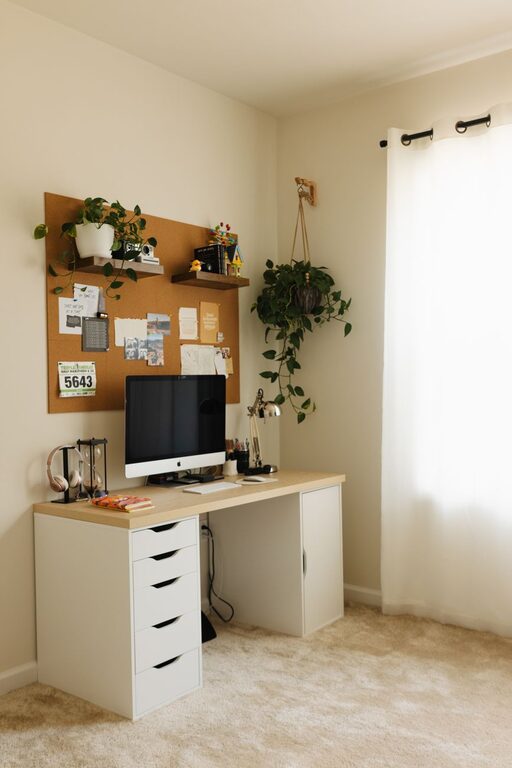

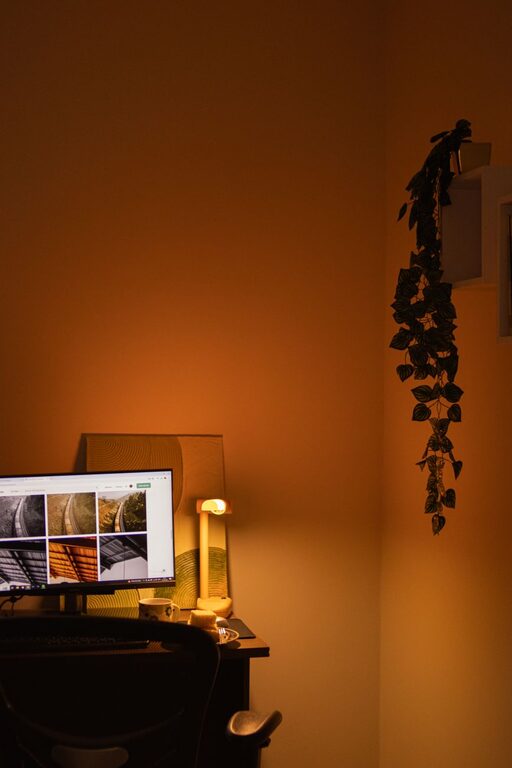
Creating a cozy and inviting home workspace is essential for staying motivated and productive, especially when many people spend significant time working remotely. A well-designed workspace not only improves focus and efficiency but also helps maintain a healthy work-life balance by making the environment enjoyable and comfortable. Here are some practical tips to help you create a home office that feels both welcoming and functional.
Choose the Right Location
Finding the right spot in your home is the first step. Ideally, select a quiet area with minimal distractions. Natural light is a big plus, so try to position your desk near a window. This can improve mood and reduce eye strain. If natural light isn’t available, opt for good-quality artificial lighting that mimics daylight.
Consider Privacy and Noise
Think about how much privacy you need and what kind of background noise works best for you. If your home is busy, you might want to use noise-cancelling headphones or add soundproofing elements like heavy curtains or rugs.
Invest in Comfortable Furniture
Comfort is key for a workspace you’ll enjoy spending time in. Choose an ergonomic chair that supports your back and encourages good posture. Your desk should be at a comfortable height and have enough surface area to accommodate your computer, notebook, and any other essentials.
Add Personal Touches to Furniture
If possible, customize your furniture with colors or decals that inspire you. Even a simple desk mat or colorful chair cushion can make a big difference.
Organize with Purpose
Clutter can distract and stress you out, so keeping your workspace organized is crucial. Use storage solutions such as shelves, drawers, or desk organizers to keep supplies neatly arranged.
Use Labels and Containers
Label boxes or bins to quickly find what you need, and keep frequently used items within easy reach.
Incorporate Soft Textures and Warm Colors
To make the space feel cozy, add soft textures like a plush rug, throw blankets, or fabric-covered bulletin boards. Warm colors such as soft yellows, earth tones, or muted oranges can create an inviting atmosphere without being overpowering.
Bring in Greenery
Plants not only brighten up your workspace but can also improve air quality and boost your mood. Choose low-maintenance plants like succulents, spider plants, or pothos if you don’t have a green thumb.
Personalize Your Space
Decorate your workspace with items that inspire you, like photos, artwork, or motivational quotes. Just be careful not to overcrowd the area, as too many decorations can become distracting.
Optimize Technology Setup
Keep cables organized and avoid a tangle of wires with cable management systems. Position your computer monitor at eye level to reduce strain. Consider investing in additional tools like a good keyboard, mouse, or a secondary monitor if your work requires it.
Control Lighting for Comfort and Productivity
Layer your lighting by combining overhead lights with task lighting such as desk lamps. Adjustable lamps allow you to control brightness depending on the time of day and the task.
Mind Your Air Quality and Temperature
A comfortable temperature enhances concentration. Use fans or heaters as needed and ensure the room is well-ventilated. If possible, open a window periodically to let in fresh air.
Take Breaks and Move Around
Design your workspace with enough room to stretch or do light exercises. A cozy spot nearby for a quick rest can make taking breaks feel natural and restorative.
—
Creating a cozy and inviting workspace doesn’t mean sacrificing functionality. By combining comfort, organization, and personal style, you’ll build an environment that supports your best work and makes each day more enjoyable. Making small changes over time can have a big impact on your productivity and well-being. Happy decorating!