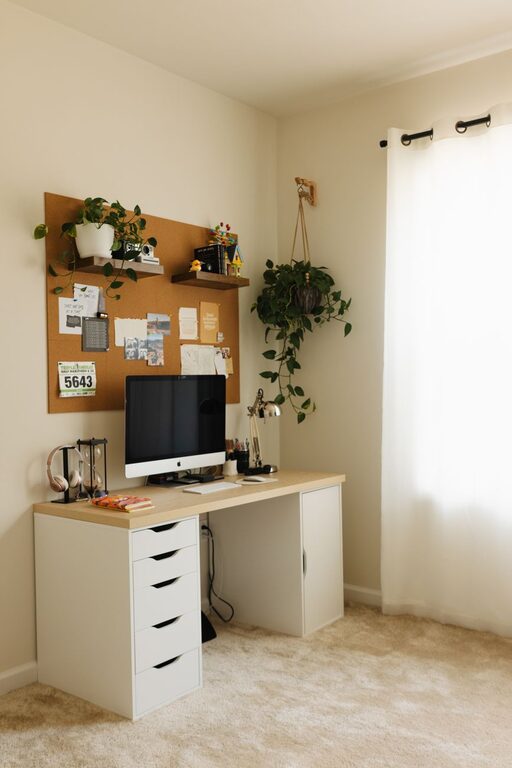

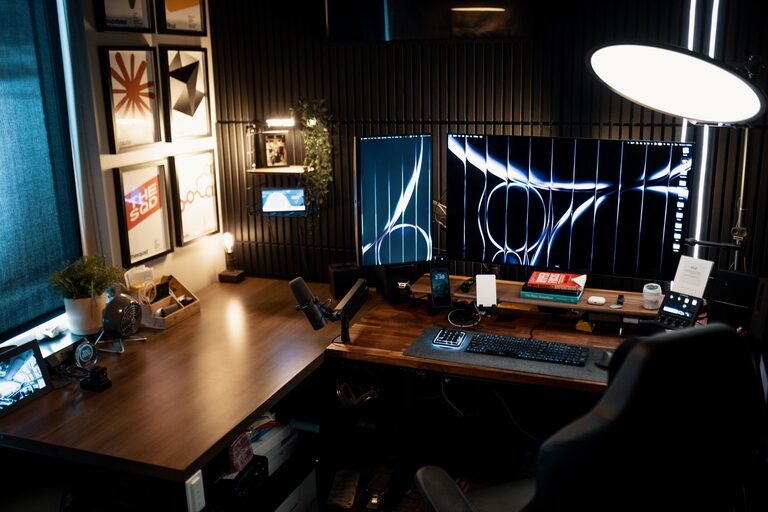
Working from home has become increasingly common, and having the right environment can make all the difference in your daily productivity and comfort. A cozy and functional home office space can help you focus, reduce stress, and even boost creativity. Whether you have a dedicated room or a small corner, these tips will guide you in setting up a workspace that suits your needs.
1. Choose the Right Location
Selecting the right spot for your home office is crucial. Ideally, find a quiet area with minimal distractions where you can concentrate.
– Natural Light: Opt for a space near a window to benefit from natural light, which can improve mood and reduce eye strain.
– Privacy: If possible, set up your office in a separate room or corner away from high-traffic areas.
– Accessibility: Make sure the space is easily reachable from other parts of your home, especially if you’ll be moving between work and family.
2. Invest in Ergonomic Furniture
Comfort matters when you spend hours sitting and working. Ergonomic furniture supports your body and prevents discomfort.
– Desk: Choose a desk size that fits your room and work essentials without cluttering the space.
– Chair: A supportive office chair with adjustable height and lumbar support helps maintain good posture.
– Standing Options: Consider a sit-stand desk if you want to alternate between sitting and standing throughout the day.
3. Optimize Lighting
Proper lighting is essential for reducing eye strain and maintaining focus.
– Task Lighting: Use a desk lamp with adjustable brightness to illuminate your workspace.
– Ambient Lighting: Combine overhead lights with softer lamps to create a warm, inviting atmosphere.
– Avoid Glare: Position your computer screen to avoid reflections and glare from windows or lights.
4. Keep It Organized
Organization helps keep your workspace tidy and makes it easier to find what you need.
– Storage Solutions: Use drawers, shelves, or filing cabinets to store documents and supplies.
– Desk Accessories: Add organizers, trays, or holders to keep pens, sticky notes, and other essentials within reach.
– Cable Management: Use clips or sleeves to keep cords neat and prevent tangling.
5. Add Personal Touches
Personalizing your workspace makes it more enjoyable and inviting, which can increase motivation.
– Decor: Incorporate artwork, pictures, or plants to create a space that reflects your personality.
– Colors: Choose colors that calm you or boost your energy, such as soft blues for focus or warm earth tones for coziness.
– Comfort Items: Include cushions, a throw blanket, or a small rug for added comfort and warmth.
6. Minimize Distractions
Ensuring your workspace is distraction-free can help you stay productive.
– Noise Control: Use noise-cancelling headphones or play soft background music if helpful.
– Screen Breaks: Set up reminders to take regular breaks away from the screen.
– Notification Management: Turn off non-essential phone or computer notifications during working hours.
7. Efficient Technology Setup
Reliable technology is the backbone of a productive home office.
– Internet Connection: Ensure your Wi-Fi signal is strong in your workspace.
– Monitor and Accessories: Use an external monitor, keyboard, and mouse for better ergonomics.
– Backup Power: Consider a surge protector or uninterruptible power supply (UPS) to protect your devices.
8. Maintain a Clean Environment
A clean workspace promotes focus and reduces stress.
– Regular Cleaning: Dust surfaces and vacuum regularly.
– Declutter: Remove unnecessary items at the end of each day.
– Air Quality: Open windows when possible or use an air purifier.
Conclusion
Creating a cozy and functional home office is about balancing comfort, organization, and efficiency. By choosing the right location, investing in ergonomic furniture, optimizing lighting, and personalizing your space, you can build an environment that supports both your well-being and productivity. Remember that your home office should evolve with your needs, so feel free to adjust and improve your setup over time. With these tips, you’ll be well on your way to enjoying a productive and pleasant work-from-home experience.